To search
You are here: > > > FreeScreenCast
Softonic Rating:
Very good810
License:
Free
Added:
February 25, 2008
Publisher:
Website
File size:
2.3 MB
Downloads:
72
Francesca Migliorini

“Create screencasts easily and publish them online”

by Francesca Migliorini

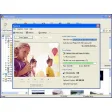
Thanks mostly to its well-designed user interface, making screencasts with FreeScreencast can be a real pleasure. Just select an area of the screen which will be your ‘filming space’, then press record and that's it. The software creates high quality Flash encoded files which you can also upload to FreeScreencast.com which offers free hosting for screencasts.

The program needs both Microsoft .NET Framework 2.0 and Windows Media Encoder in order to run. The latter you might have to install, see below for the download link.

Its simplicity shows also some downsides. When you select a square region of your screen to record, the program deforms it when showing the final video, as that frame will be rectangular. Also, the program doesn’t include even basic editing tools, for example to cut or move some parts of your video. It would also be good to be able to add visual effects such as transitions once you’ve completed your screencast.

If you need to explain clearly how to do something on a computer and you believe that images explain ideas better than words, then this program is for you.


Languages:

English, German

OS requirements for FreeScreenCast:

  • OS: WinXP/Vista

Minimum requirements:

Pros
  • Quick to use
  • Good quality results
  • Upload and host your screencasts for free
Cons
  • No possibility of editing
  • It deforms video when showing them
Did you like this review?
5 of 6 users liked it (83%)

Featured program

Softonic gives special recognition to software of exceptionally high quality. More information

From the publisher of FreeScreenCast

Screencasting is a very simple concept: record your computer screen and sounds while talking about your actions. Screencasts are powerful content and the benefits are immediate. No tech degree required and your productivity increases significantly.

You benefit: no more taking loads of screenshots, tweaking things in photoshop and writing loads of text trying to describe the nuances of your actions. Screencasts are produced in a fraction of the time. Publishing your screencast with FreeScreencast.com is one click away: no HTML, no coding, no hosting, no cost. One click, your screencast is on the internet.

Your audience benefits from a powerful, simple, and easy to understand presentation. The screencast is your screen, your cursor, your sounds, and your narrative.

FreeScreenCast options

FreeScreenCast Options

Reviews for FreeScreenCast in other languages

Softonic Rating:Very good
User Rating
Your opinion is important!

Download stats

Are you the developer of FreeScreenCast?

If your program has received a Softonic rating, feel free to use the following award badge on your site or as part of any other promotional feature you may be putting together.

FreeScreenCast Softonic Rating

Click on the above text field to copy the necessary HTML to your clipboard and then paste it to your website. It will display your program's Softonic Rating and will link to your program page.

Any queries? Contact us if you want more info.

Close